
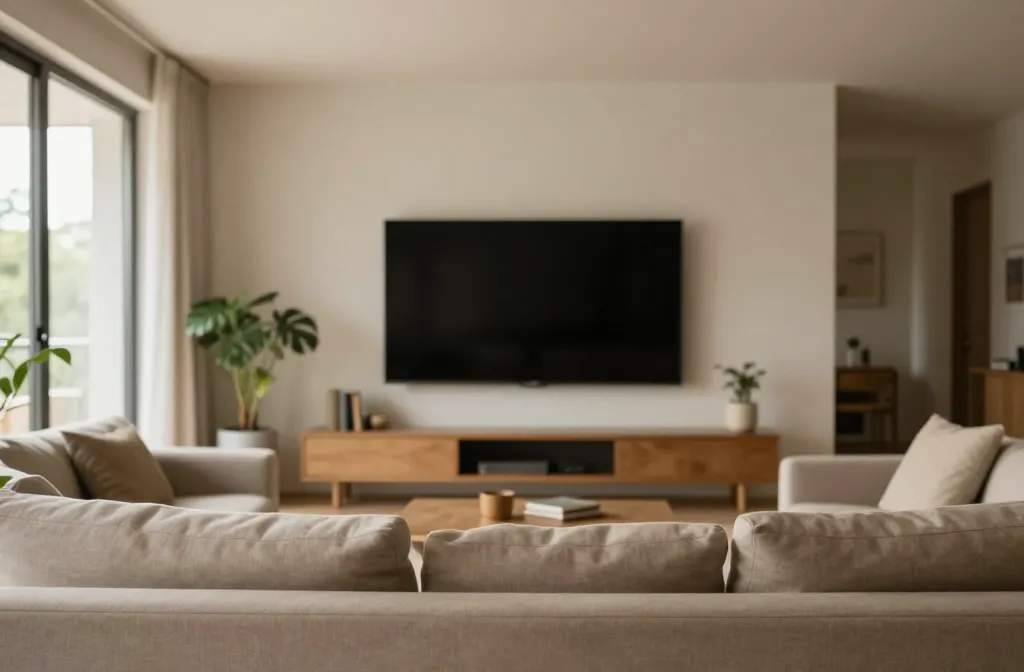
When your living room is built around a large screen, it’s easy for the TV to steal the show—even if you don’t want it to. The goal isn’t invisibility, but balanced design: a space that feels cohesive, calm, and usable for daily life. This guide walks you through concrete, real-world fixes you can implement in small apartments, rental homes, or busy households with limited storage and budgets. Each section tackles a distinct problem, explaining why it happens and giving you practical steps to implement a smarter, more flexible layout that supports living, not just watching.
1) Create a clear “use-first” zone that keeps the TV secondary
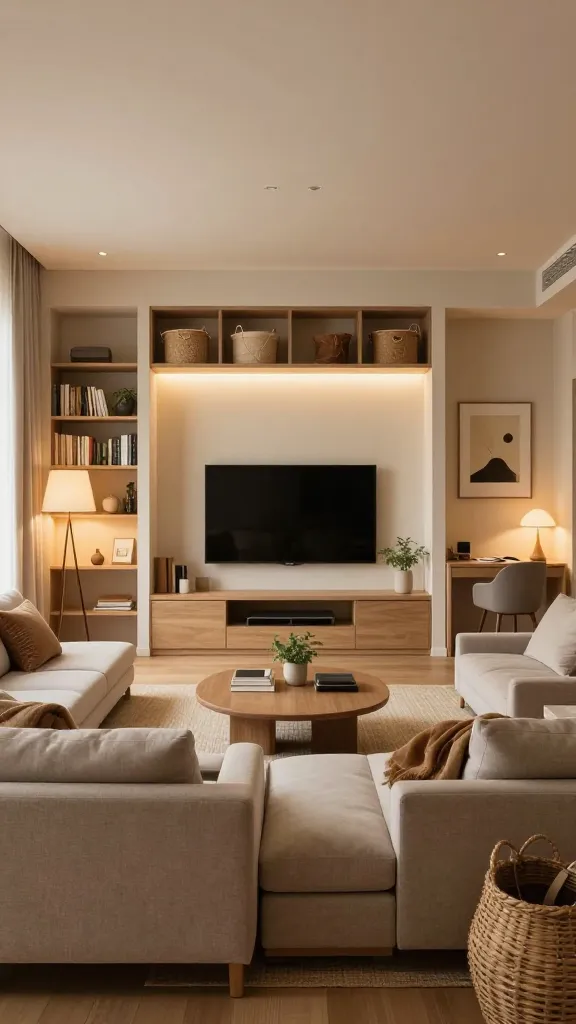
A. The problem
When the TV dominates the room, it’s tempting to reach for the remote first—even when you’re not watching. This creates a pull between screen time and everyday activities, turning the space into a passive theater rather than a versatile living area.
B. Why it happens
The TV often becomes the largest visual weight in the room. Without distinct zones for seating, conversation, work, and play, the eye assumes the TV is the anchor. Also, clutter at eye level around the TV creates a strong, single-point focus that crowds out other activities.
C. The fix
Designate a tangible “use-first” zone that is prioritized for daily activities (sitting, chatting, reading, homework) and arrange the TV to recede from that zone. The idea is not to hide the TV, but to ensure that everyday tasks have equal or greater visual importance.
D. How to do it
- Define two practical zones in the room:
- Conversation/working zone: a sofa or chairs around a coffee table, within easy reach for snacks, drinks, and conversation.
- Screen zone: where the TV sits, ideally at a comfortable viewing height but visually lighter when not in use.
- Reposition seating so there’s a clear line of sight to the TV from the main seating, but not from every seat. Aim for a 40–60 degree viewing angle for the primary seating to reduce visual dominance.
- Use a lightweight media console with space around the TV. If possible, choose a low-profile, open-front unit that allows light and air to flow, preventing the wall from feeling visually heavy.
- Introduce wall art or a narrow gallery on either side of the TV to balance the wall visually, drawing attention outward rather than toward the screen.
E. Real-life consideration
Small spaces: Use a compact wall-mounted bracket and a slim profile console. Apartment layout often constrains where the TV sits; you can still tilt it slightly away from the seating area and rely on a rug and lighting to anchor the conversation zone.
Renters: Choose freestanding furniture with non-damaging wall attachment options for art around the TV; avoid heavy wall-mounted cabinetry that might be prohibited. Use removable adhesive strips for decor to keep walls pristine.
F. Common mistake
Overloading the TV wall with bulky storage or a secondary cabinet, which makes the screen feel even larger and more central.
G. Better alternative
Adopt a lighter, open approach around the TV. Use a slim console, minimal hardware, and a couple of tall, narrow decorative elements flanking the screen to balance weight without overpowering the room.
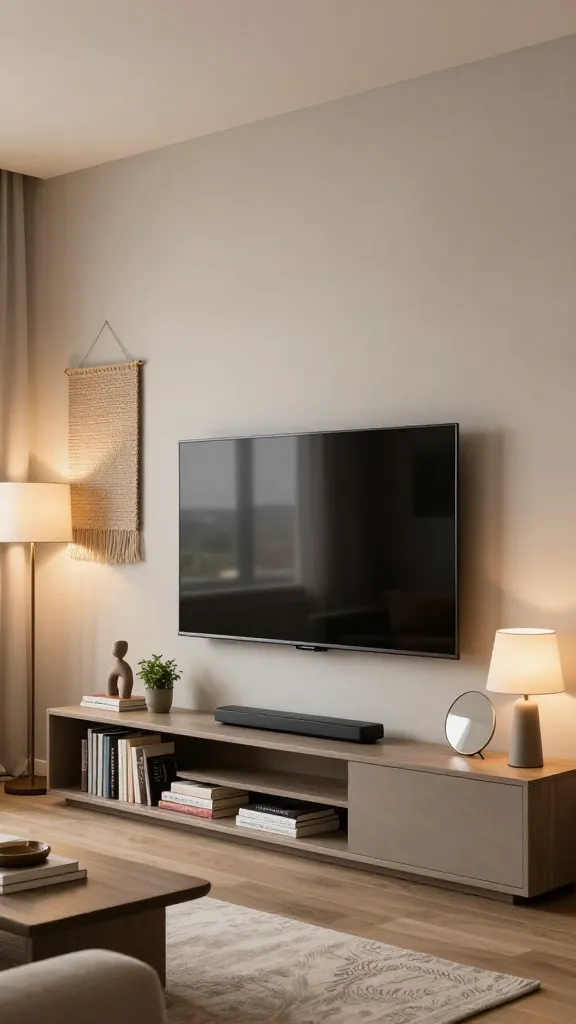
2) Build a “soft symmetry” around the TV to diffuse emphasis
Related Posts:





A. The problem
Symmetry around the TV (matching shelves, identical lamps, or perfectly mirrored art) can lock the eye onto the screen, making the TV feel like the room’s anchor rather than a part of it.
B. Why it happens
Humans interpret symmetrical balance as order. Placing identical items on both sides of the screen creates a frame that telegraphs “this is the focal point,” especially when the wall paint or background is neutral and unvaried.
C. The fix
Use deliberate asymmetry in a controlled way to draw attention away from the TV while still feeling balanced. Add visual interest above and around the TV with varied heights, textures, and colors that don’t scream “center stage.”
D. How to do it
- Replace one of the typical matching lamps with a sculptural plant, a stack of magazines in a decorative holder, or a tray with personal items for a lived-in feel.
- Place art or a wall hanging off-center above the console instead of perfectly centered with the TV. Choose a larger piece on one side and a smaller piece or empty space on the other to create intentional imbalance.
- Introduce texture with a woven wall hanging or a textile panel that covers a portion of the wall adjacent to the TV, so the visual weight shifts away from the screen.
- Use color accents in accessories (cushions, a throw, a decorative vase) that echo other parts of the room rather than matching the TV’s frame or screen area.
E. Real-life consideration
Small spaces: Focus on a single statement piece off-center to anchor the wall without crowding the TV’s footprint.
Renters: Choose removable textiles and art; avoid heavy, permanent wall installations.
F. Common mistake
Trying to perfectly balance with multiple identical objects can still pull attention to the center if the TV area stays visually dominant. Subtlety beats symmetry here.
G. Better alternative
Use one bold piece off-center and keep everything else low-profile. The goal is to create a conversation pit around distance rather than a screen-centered stage.
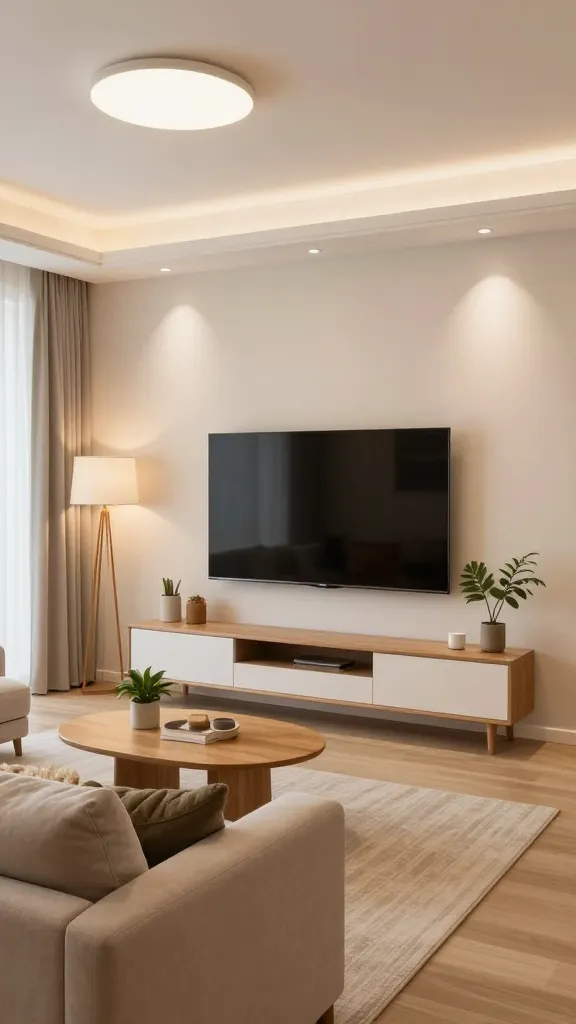
3) Use lighting to de-emphasize the screen while keeping the room bright and welcoming
A. The problem
Bad lighting patterns can make the TV glow feel like a halo over the couch, especially when the rest of the room is dim. This increases the TV’s perceived importance and creates eye fatigue.
B. Why it happens
Relying on the TV as a primary light source forces the eye to adjust to bright screen brightness against dark surroundings, which makes the TV feel bigger and more central than it is.
C. The fix
Create layered lighting that supports activities without highlighting the TV. Use ambient, task, and accent lighting to distribute light evenly and soften the screen’s dominance.
D. How to do it
- Install a dimmable ceiling or wall light near the seating area to provide gentle ambient light, so the TV isn’t the brightest thing in the room.
- Add floor or table lamps with warm bulbs at varying heights around the seating area to create depth and texture in the room.
- Use indirect lighting behind the TV or along the media unit (LED strip or a small shelf light) to reduce harsh edge lighting and avoid glare on the screen.
- Use blackout or light-dimming curtains to manage daytime brightness, so the screen doesn’t demand dominance when you’re not watching.
E. Real-life consideration
Small spaces: A couple of compact lamps can reshape the atmosphere without clutter. Choose plug-in options to avoid running new wiring.
Renters: Prefer affordable, non-permanent lighting solutions; use removable clips and adhesive-backed LED lights where allowed.
F. Common mistake
Over-lighting the room around the TV or using a harsh, cool white bulb that makes the screen look overly bright in comparison.
G. Better alternative
Opt for warm, adjustable lighting that can be softened when you want to watch TV but still keeps the room usable for reading, homework, and conversation.
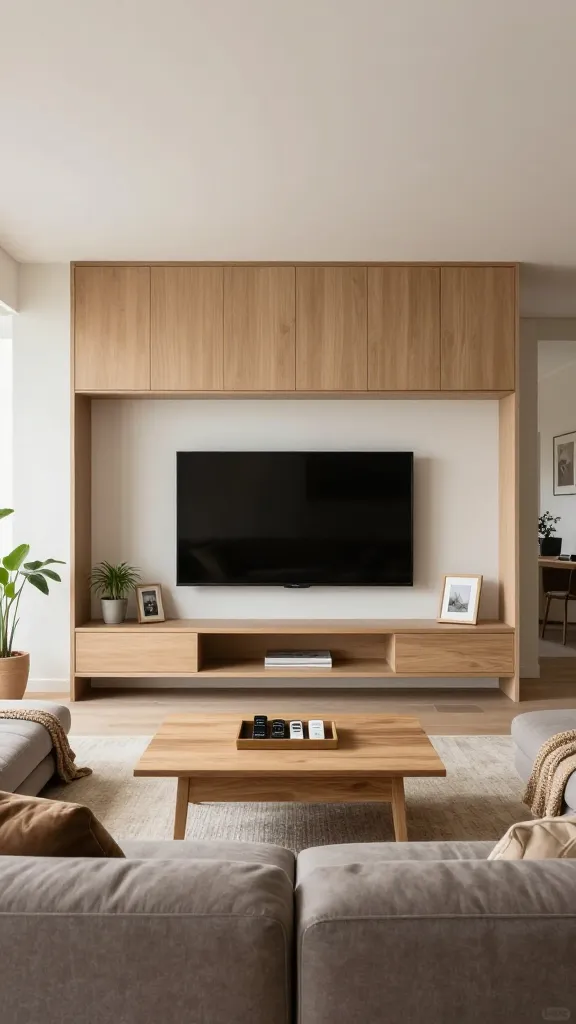
4) Rethink storage to prevent the TV from dictating the layout and clutter
A. The problem
Storage around the TV is often a magnet for miscellaneous items—remote controls, cables, video games, chargers, and gadget clutter—that pulls the eye toward the screen and creates a chaotic backdrop.
B. Why it happens
When storage is unstructured or non-existent, every loose item becomes a visual cue. Small homes intensify this problem because there’s little room to “hide” clutter without compromising function.
C. The fix
Organize a discreet, dedicated storage strategy that keeps the TV area tidy and visually quiet, without requiring a full media wall or expensive built-ins.
D. How to do it
- Choose a shallow, adjustable storage unit that sits under or beside the TV and provides a single home for remotes, game controllers, cables, and streaming devices. Use labeled, shallow bins inside to keep small items grouped.
- Conceal cords with a simple cord management kit: cable ties, a cord cover that adheres to the back of the console, or a cord channel along the wall. Keep the visible portion of cables to a minimum.
- Use a single, small basket or tray for daily remotes and chargers. Place it in a designated spot—on the coffee table or a nearby shelf—so these items don’t migrate across the room.
- Store infrequently used items in higher or lower zones of the same unit, or in a nearby closet/ottoman with a lid—keeping the area around the TV simple.
E. Real-life consideration
Small spaces: A compact, modular storage unit that can be reconfigured over time makes sense. Use boxes with clear fronts or labels to identify contents quickly without opening every bin.
Renters: Look for non-permanent cord management solutions and furniture with integrated storage that doesn’t require wall mounting or drilling.
F. Common mistake
Buying big TV-focused storage with doors that open and close repeatedly, creating a sense of enclosure that actually emphasizes the TV rather than minimizing it.
G. Better alternative
Use a light, open console with just enough closed storage for cables and controllers. Clean, open surfaces around the TV read as calm and expansive, reducing the sense that the screen is the room’s star.
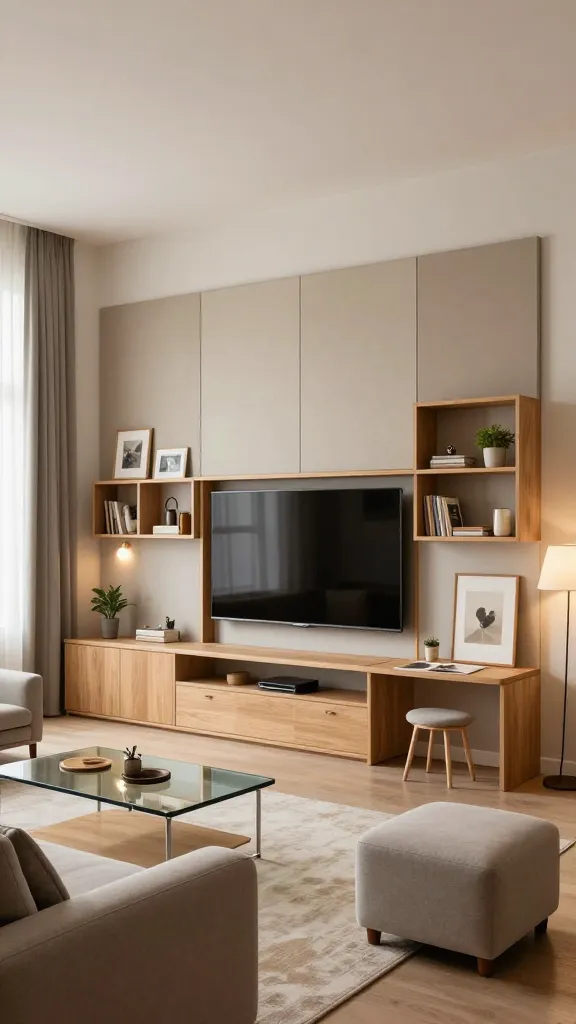
5) Integrate the TV into a flexible, multi-use wall system
A. The problem
Fixed, single-use wall treatments that frame the TV can make it feel immovable and dominant, especially when you need the space for a home office, play area, or guests’ seating arrangement.
B. Why it happens
Investing in a “TV wall” creates a visual barrier that says, “this space is dedicated to watching,” which complicates daily flexibility and makes reconfiguration feel costly or permanent.
C. The fix
Adopt a modular, adaptable wall system that allows you to change the room’s function without sacrificing a balanced look around the TV. Think of the wall as a backdrop you can reconfigure for different uses.
D. How to do it
- Use a low, modular console with open shelving and adjustable-height panels. The TV sits on a separate mount or shelf, but the surrounding shelving can host books, plants, or display objects as needed.
- Incorporate removable wall-mounted panels or fabric panels that can be swapped out for a home office setup or a play area. Keep the mounting minimal so you can reconfigure without fuss.
- Choose a color and texture that blends with the wall rather than creating a frame around the TV. A neutral back panel with a few textured accents keeps the focus distributed rather than centralized on the screen.
- Add a slim, hidden charging station behind a panel or inside a cabinet door so cords disappear when not in use, allowing you to convert space quickly for guests or tasks.
E. Real-life consideration
Small spaces: A modular, open-backed shelf around the TV permits air flow, reduces visual heaviness, and can be repurposed for guests, crafts, or work materials.
Renters: Choose systems with non-permanent hardware, removable panels, and adjustable feet to adapt to varied wall textures and rental policies.
F. Common mistake
Choosing a system that looks great but is functionally rigid, forcing you to use the space only one way and feeling restricted when life changes (kids, work from home, hobby projects).
G. Better alternative
Focus on a light, modular framework that can be upgraded over time. The TV remains a part of the room, but the surrounding system is designed to shift with your needs.
Before you buy: a practical checklist for any TV-decorating decision
To avoid buying into a solution that looks good but doesn’t solve your problem, use this quick checklist before purchasing storage, decor, or a media setup:
- Space first: Have you measured the area and listed the devices you actually need accessible (remote, streaming box, soundbar, game console)?
- Usage first: Will this area be used for seating, studying, or entertaining, and does the design support those activities?
- Visibility test: If you remove the TV, does the room still feel inviting and balanced? If not, adjust the backdrop and lighting accordingly.
- Storage reality: Do you have a real need for closed storage in this zone, or can you keep items visible but organized in shallow bins?
- Budget realism: Can you repurpose existing furniture or buy a small console before increasing wall-mounted hardware? Avoid over-investing in a single-purpose system.
Additional practical refinements for real homes
Section overview
In the sections above, we addressed core problems that commonly arise when you’re decorating around a TV. Here are focused refinements that often come up during real-life implementation, with clear steps and decision rules.
Make the most of limited storage: hide, not hoard
A. The problem
People assume a media cabinet must be empty, so they fill it with every charger, remote, and cable they own. The result is a bulky, cluttered base that draws the eye to the TV area.
B. Why it happens
We tend to underestimate how many little items accumulate—remote batteries, game cartridges, HDMI adapters, and warranty booklets—so storage becomes a catchall, not a system.
C. The fix
Implement a minimal, clearly defined storage routine with a few deliberate homes for items you actually use weekly.
D. How to do it
- Assign a single spot for remotes (a small tray or labeled drawer).
- Use shallow, labeled bins inside the cabinet for cables and adapters; color-code by device type.
- Create a “pass-through” box for new cords you discover during a declutter (to be reviewed in 2–3 weeks).
- Periodically purge: if you haven’t used a cable or accessory in 6–12 months, consider donating or recycling.
E. Real-life consideration
Small spaces: An insert tray with 4–6 compartments can hold everything you need without expanding the footprint. Renters: Favor removable organizers that don’t require wall alterations.
F. Common mistake
Having too many separate containers that make it hard to find items quickly. If you can’t see it in 15 seconds, it isn’t helping.
G. Better alternative
Consolidate to two or three clearly labeled compartments and a small open tray for daily-use items. Keep the rest in a closet or another room if possible.
Power and data: tame the cables without turning the room into a tangle
A. The problem
Visible cables act like a visual magnet, guiding the eye to the TV and giving the impression of an unsettled space.
B. Why it happens
Cables multiply when devices are updated, moved, or upgraded. A clutter of cords in sight makes the screen feel central and hard to ignore.
C. The fix
Adopt a simple, repeatable cable-management system that hides the mess without requiring professional installation or permanent walls.
D. How to do it
- Bundle cables with Velcro straps near each device, minimizing slack and avoiding tangled runs.
- Use a shallow cable raceway or adhesive cord clips along the back edge of the console to guide cords directly to power outlets.
- Choose a single power strip with surge protection for devices that share a wall outlet, reducing multiple wall plugs and tripping hazards.
- Label each cable end with a small, removable tag above the wiring to identify which device it belongs to when you move things around.
E. Real-life consideration
Small spaces: Prefer adhesive clips and low-profile raceways that don’t require drilling. Renters: Look for non-permanent cable organizers that won’t damage walls.
F. Common mistake
Relying on zip ties alone for long-term organization. They’re great for quick fixes but can be hard to reconfigure if you change devices.
G. Better alternative
Use adjustable cable sleeves or split loom with a single trunk that runs along the back of the console. It’s easier to adjust and keeps cords contained without looking industrial.
Color, texture, and material choices that keep the TV from stealing the show
A. The problem
Choosing a color palette around the TV that mirrors the screen brightness can intensify the screen’s presence in the room.
B. Why it happens
A high-contrast backdrop around the TV draws visual attention toward the screen, especially in rooms with neutral walls and limited natural light.
C. The fix
Coordinate a color and texture strategy that leans into the room’s warmth and softness, letting the screen blend into the overall palette rather than pop from it.
D. How to do it
- Choose wall art, textiles, and accessories in a cohesive palette that echoes the room’s dominant color family (not the TV frame color or screen brightness).
- Incorporate varied textures (matte wood, woven textiles, soft fabrics) near the TV to create subtle depth that distracts the eye.
- Use a rug, curtains, and cushions to anchor the seating area, ensuring the TV is visually a part of the room, not the centerpiece.
E. Real-life consideration
Small spaces: Textures and colors can be layered with a single dominant hue (e.g., warm gray or taupe) plus a couple of accent colors to keep the space cohesive.
F. Common mistake
Trying to match the TV’s black frame with a perfectly dark wall. A pure black backdrop can create a high-contrast block that emphasizes the screen; instead, use a warm mid-tone to soften edges.
G. Better alternative
Choose a wall color or wallpaper with a subtle texture that plays with light, so the area around the TV reads as part of the wall, not a separate focal point.
Concluding section: how to implement a practical, livable plan in your space
Decorating around a TV without making it the focal point is about balancing function with aesthetics. Start by defining clear zones, then layer lighting and texture to keep the room feeling inviting rather than dominated by the screen. Use a lightweight storage plan to keep cables and gadgets out of sight, and adopt a modular wall approach that allows the space to adapt as your life changes—whether you’re hosting friends, setting up a home office, or helping kids with homework. The goal is a room that feels calm, usable, and cohesive, with the TV simply a part of the scene—not the star.
Frequently Asked Questions
Frequently Asked Questions
Question 1: How do I decide whether to mount or place the TV on a cabinet in a small space?
Consider viewing height, the risk of glare, and how much you value adjustable seating versus wall fullness. If you frequently reconfigure the room for guests, a low-profile console with a wall-mounted TV can offer flexibility. If you rarely rearrange, a mounted TV can free surface space for decorative elements and storage underneath.
Question 2: What scale of art or decor works best around a TV in a small living room?
Choose one large piece off-center or a small gallery with varied heights that balances the wall without overpowering the screen. Avoid multiple tiny pieces that create busy negative space around the TV. Aim for a total wall decor area that is roughly 60–70% of the TV’s height to maintain balance without shouting “center stage.”
Question 3: How can I handle cable outlets in rental apartments without damaging walls?
Use freestanding solutions first (a slim console with integrated cable management) and rely on non-permanent accessories like adhesive cord channels and zip-tie bundles. If you must access a wall outlet behind furniture, prefer a furniture placement that allows you to reach the plug without moving the TV. Always follow your lease terms and use approved mounting methods if any drilling is allowed.
Question 4: What’s the best budget approach for updating a TV area over time?
Start with affordable, flexible pieces: a low-profile console, a few select art pieces, a simple lighting plan, and removable cable organizers. As your needs evolve (e.g., a home office or play area), you can replace or reconfigure these elements instead of replacing a built-in system.
Question 5: How do I know if I’m keeping too many devices near the TV?
Limit devices to those you actually use weekly. If you haven’t turned on a device or used a component in two seasons, consider storing it elsewhere. A single, centralized charging hub can house everything you regularly access, reducing visual clutter and decision fatigue.
Conclusion: your next steps to a calmer, more usable TV area
Reframing the TV as part of a balanced room—not the focal point—takes practical changes more than dramatic design overhauls. Start by identifying your two or three strongest living areas (conversation, work, play) and position the TV as a complementary element within that framework. Build a simple storage approach that hides cables and gadgets, and layer lighting to keep the room inviting at all times. If you approach the problem with a problem-solving mindset—zone, hide, balance, and adapt—you’ll create a space that feels calm, functional, and genuinely livable, regardless of the size of your home or your budget.